
20th Jan, 2020: Shruti Maliwar
Indesign as a software helps to explore a lot in terms of text and image placements. It also makes it very convenient for us to create a layout as we desire with the help of proper tools. A better understanding of the working of these tools was developed in this class with the introduction of many new tools as well.
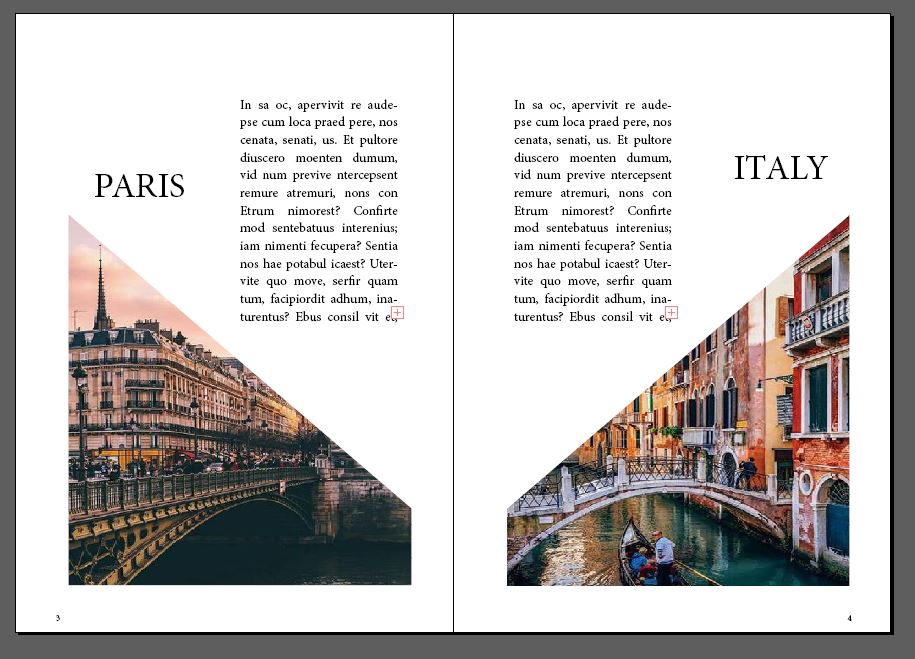
Some of the layouts created by me are as follows:


Some of the important tools which helped in the development of the document were shown to us in this lecture. Tools such as paragraph style and character style helped in the formation of proper text which is aligned and arranged together. These are very helpful while trying to create documents which include slightly more number of paragraphs. It definitely makes the process easier and faster.

One of the tools, called Text Wrap, helped in the arrangement of words in such a way that it was positioned around an image. The purpose of this is to define the text and image together. This works for pictures having complicated shapes since it becomes necessary to align the text.


Another important aspect of Indesign is that it works with LINKS. In such a case it becomes vital that the image used does not change its location in the file. And even if it does, it should be properly re-linked. This is the most necessary aspect and should be kept in mind to avoid any kind of errors.


 The Idealist